We are happy to announce the launch of our new app for macOS, Calcish.
Calcish is an app for macOS that combines the functionality of a calculator, code editor, and AI assistant into one user-friendly notebook interface.
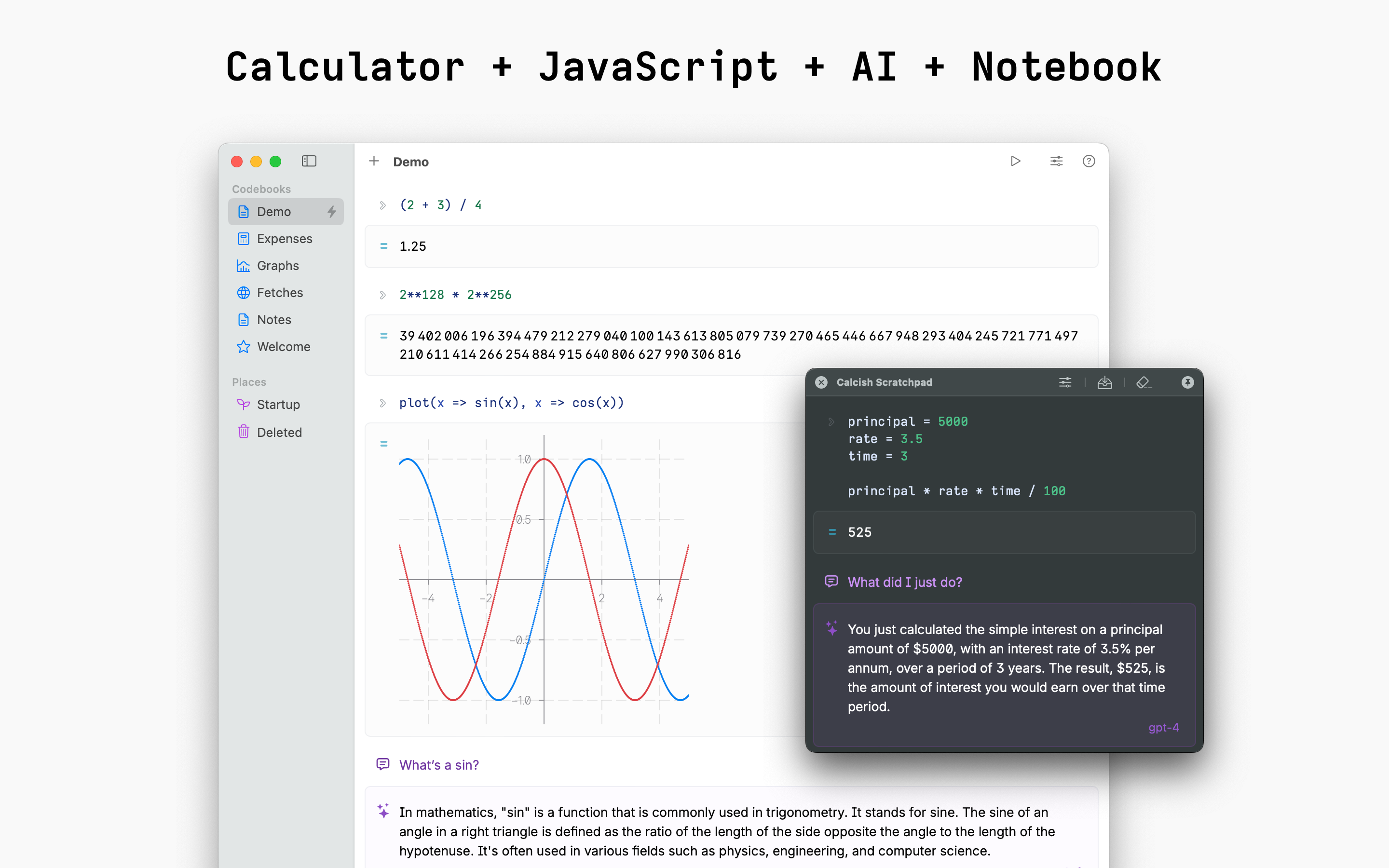
For coders and programmers, Calcish serves as an upgraded JavaScript playground. You can quickly test code snippets, manipulate data structures, call APIs, and see results formatted neatly. Calcish is based on QuickJS, which adds useful math features like high-precision calculations, fraction arithmetic, vector/matrix operations, and decimal number types.
But Calcish isn’t just for developers. It’s designed to be an accessible all-in-one notebook for anyone who needs to crunch numbers, explore algorithms, or get assistance from AI. The clean notebook layout makes it easy to mix text, code, rich outputs and AI-generated content.
A global hotkey summons Calcish Scratchpad from anywhere. Your scratchpads can be saved as “codebooks” for later reference or editing.
One of Calcish’s standout features is that along with support for large language models like OpenAI GPT-4, GPT-3.5 and Cohere via API, it provides a one-click download for open source local AI models, which run directly on your Mac for better privacy.
Calcish is available for free on the Mac App Store. You can search for “Calcish” or find a link on calcish.com. Check it out!
26 Mar 2024
Share
Happy macOS Sonoma release day!
We are glad to report that our Mac apps are compatible with the new version of macOS.
27 Sep 2023
Share
We have released Mémoires 5.0.1.
It’s a minor update that includes the following improvements:
- Fixed an issue with the alignment of printed pages.
- Fixed issues related to embedding files.
- Updated the scrypt key derivation function code.
Mémoires will notify you automatically about the update. If you use the App Store version, it will be installed automatically if you have such option enabled.
15 Jun 2023
Share
8 Apr 2023
Share
Recently AI has become a hot topic, with many tools appearing to help us with our daily tasks.
While I don’t think it’s useful to use text-generating AI for writing a journal, since the point of journaling is to write about your own experiences, I found that AI image generation is a great way to enhance my journaling.
At the end of the day, after finishing writing my journal entry, I think of a sentence
that represents my day and let AI imagine what it looks like, in a style of a painting or a photo.
I feed this sentence as a prompt to the image generating program and save the output to
my journal in Mémoires. (I also type the original sentence as a caption under it.)
Examples
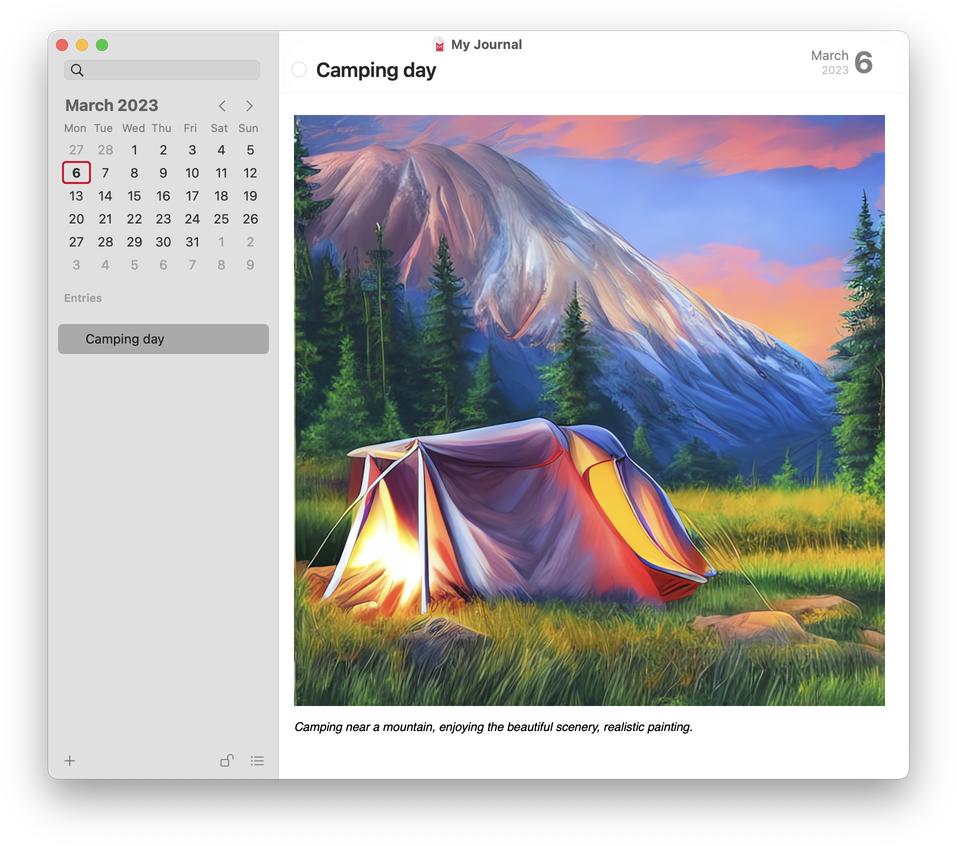
Camping near a mountain, enjoying the beautiful scenery, realistic painting.
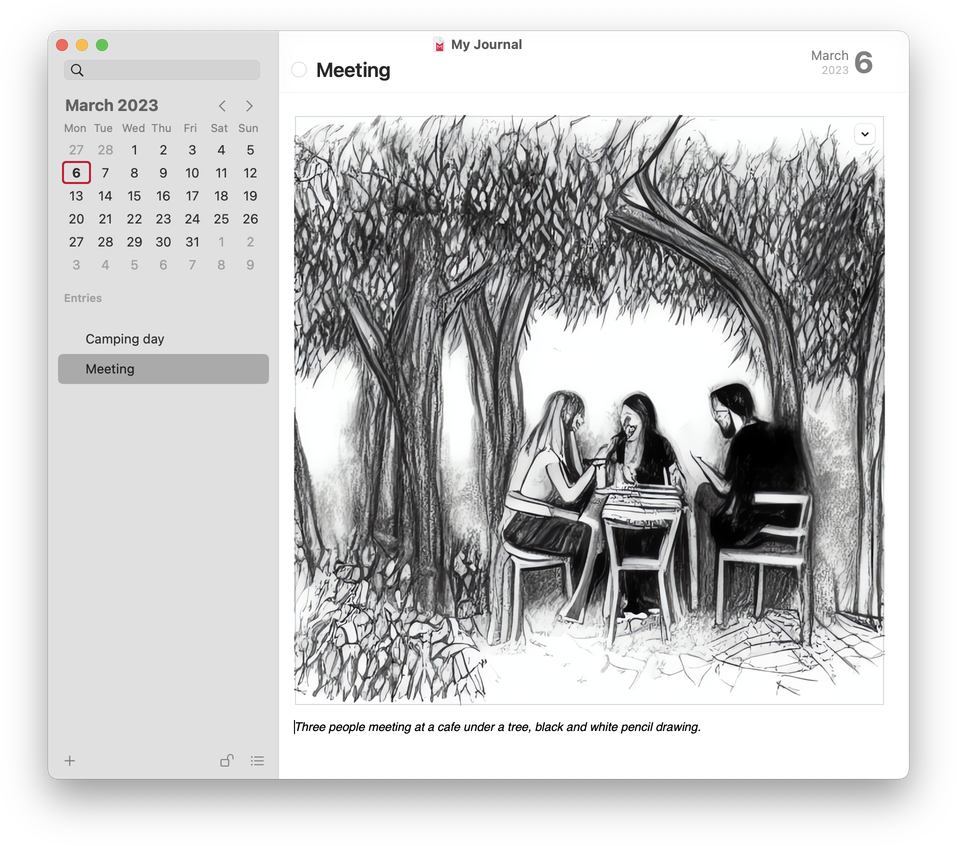
Three people meeting at a cafe under a tree, black and white pencil drawing.
Here’s how to do it
If you want to try it yourself, I recommend one of the following tools that use Stable Diffusion
to generate images on your Mac without sending anything to the cloud, for ultimate privacy:
Download and launch the app, then type out your sentence as a prompt, and click “Generate”.
If you don’t like the result, try generating again with the same prompt or, perhaps,
try a slightly different prompt.
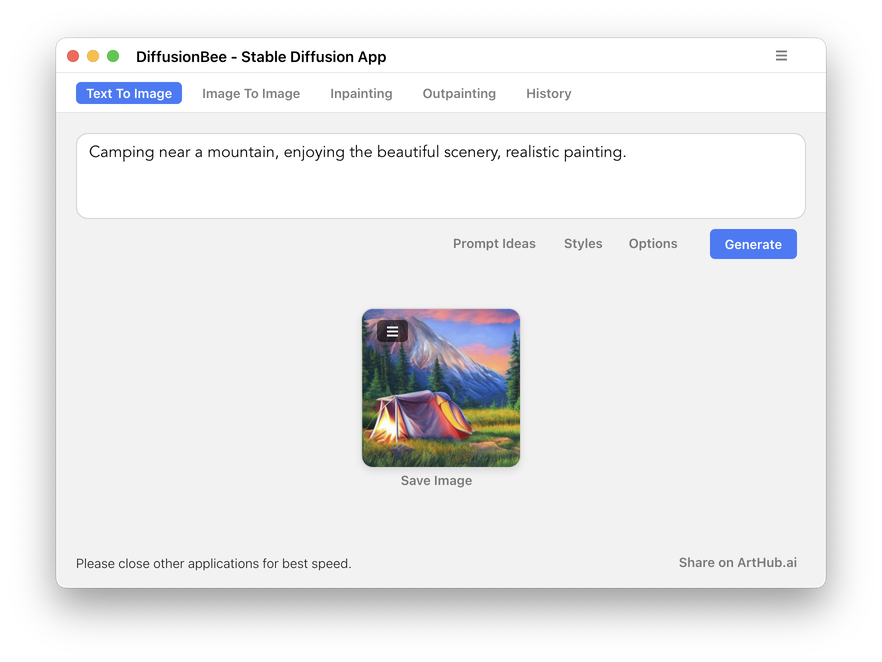
If you use DiffusionBee, click on the burger menu next to the image and select “Upscale Image”
to make it larger.
Save the image somewhere and then drag it into your entry in Mémoires. (Since Mémoires
can store multiple entries per day, I prefer to save images under a separate entry called “Pic of the day”.)
That’s it! Happy journaling… with AI!
6 Mar 2023
Share
We are happy to report that all our Mac apps — Mémoires, Video Mémoires,
and I Write Like — are fully compatible with the newly released macOS Ventura.
25 Oct 2022
Share
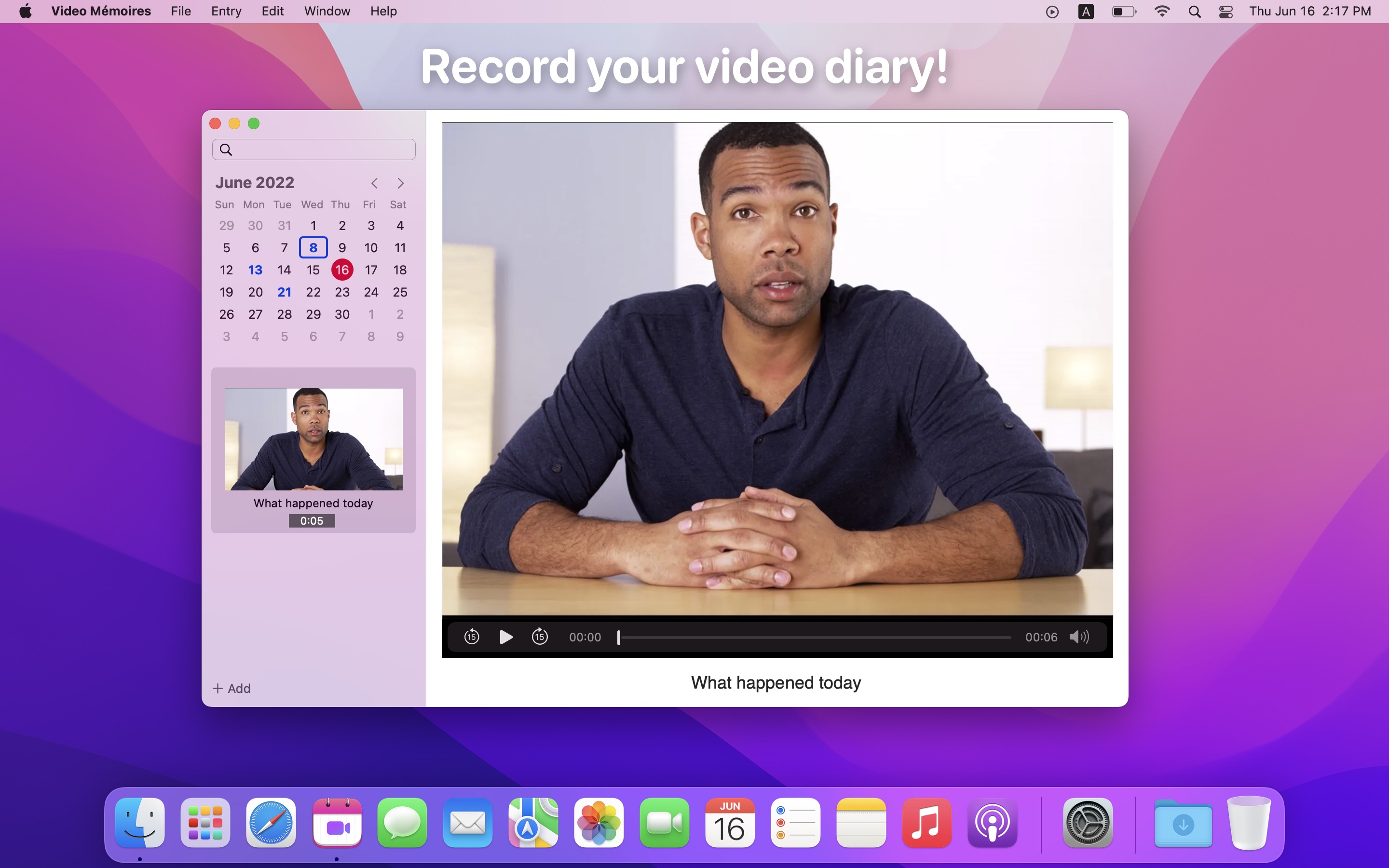
We’re happy to announce the release of Video Mémoires 3,
our easy-to-use Mac video diary app!
What’s New
- 🍎 Apple Silicon support.
- 👁 New recording flow: click + Add to see the preview and then click Record to record.
- 🎥 Camera selection.
- ⏰ Recording time: 🔴 00:01:23
- 💅 Updated user interface design.
 New icon.
How to upgrade
This update is free for all users of Video Mémoires.
If you purchased Video Mémoires from our website, you’ll get a notification about it when
starting the app. If it’s already running, click “Video Mémoires > Check for Updates…”.
If you purchased Video Mémoires from the Mac App Store, you’ll get the upgrade automatically.
How to get it
Head to the product page to get it!
16 Jun 2022
Share
We are happy to announce that our writing style analyzer,
I Write Like is now available for iPhone, iPad, and Mac!
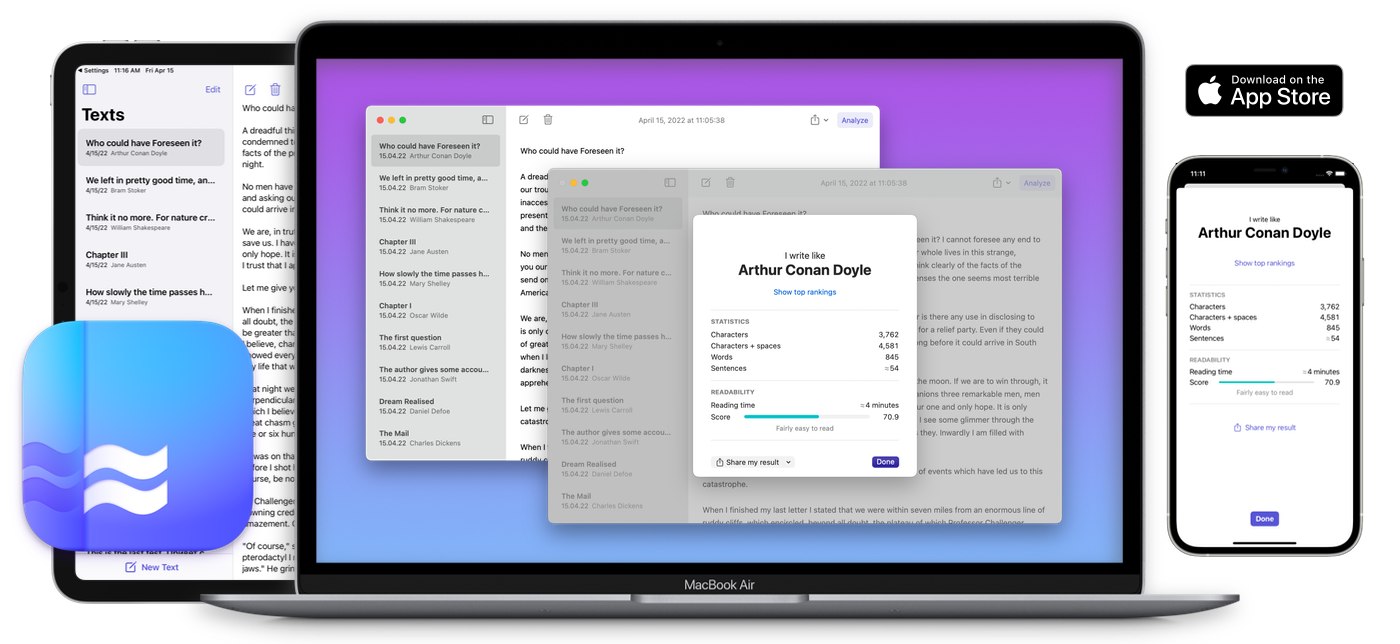
The first version of I Write Like was released in 2010, and since then
has been used by millions of people for inspiration and entertainment.
While we have ported the same algorithm to Apple devices, we also
added a few features that we think are helpful for those who write:
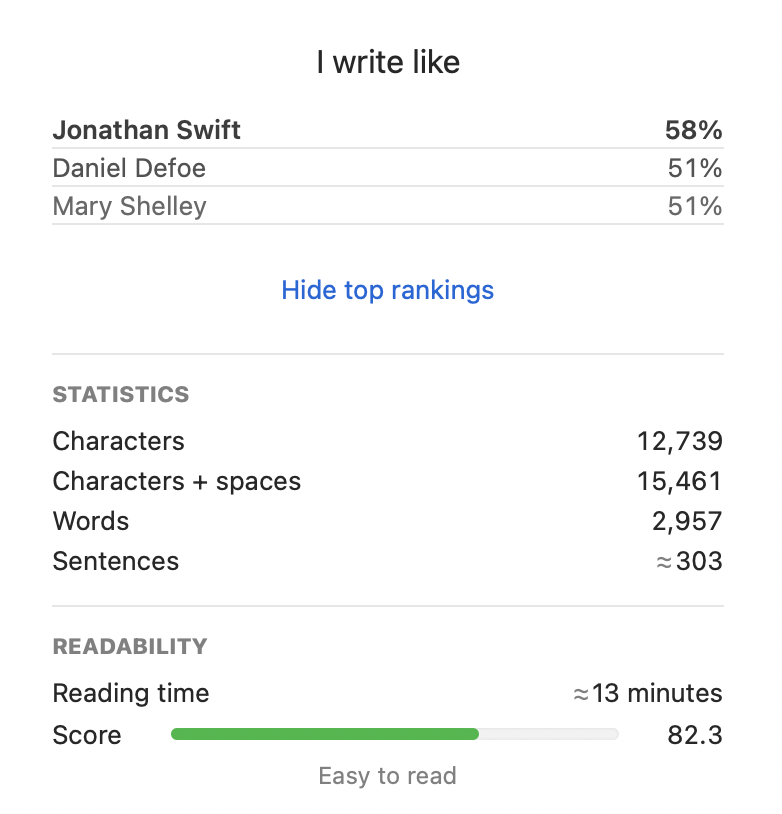
Text statistics and readability. Apps show character, word, and sentence counts, and analyze your text for readability to show you the readability score and how long would it would take for an average reader to read your text.
Top rankings and probabilities. In addition to showing you the most similar author, you can view the top three likely candidates and the probabilities of their style matching yours.
No limitation on the maximum text size. The web version is limited to about 30 kilobytes of text. The apps don’t have such limitations, so you can process larger texts.
Offline analysis. This means that you don’t have to have an Internet connection to analyze your texts and you don’t have to send your writings to our server for processing.
Save texts and sync them across your devices with iCloud. The web version just processes your text and discards it, while the app version stores it on your devices and syncs them via iCloud. For example, every text that you write on your iPhone will be available on your Mac, and vice versa.
Share your results via Messages, Twitter, or any other app that supports sharing.
The macOS version can import your existing text files.
You can get the apps from the App Store by tapping this link:

3 May 2022
Share
We’d like to announce the release of
 Mémoires 5,
the newest version of our journaling app.
Mémoires 5,
the newest version of our journaling app.
This year we are celebrating the 15th anniversary of Mémoires.
The latest version is our biggest update ever: it comes with new useful features,
modernized user interface, and full support for Macs with Apple Silicon.
Rest assured that we will never betray our initial goal: the easiest to use
simple journaling app for Mac that you can rely on for a long time.
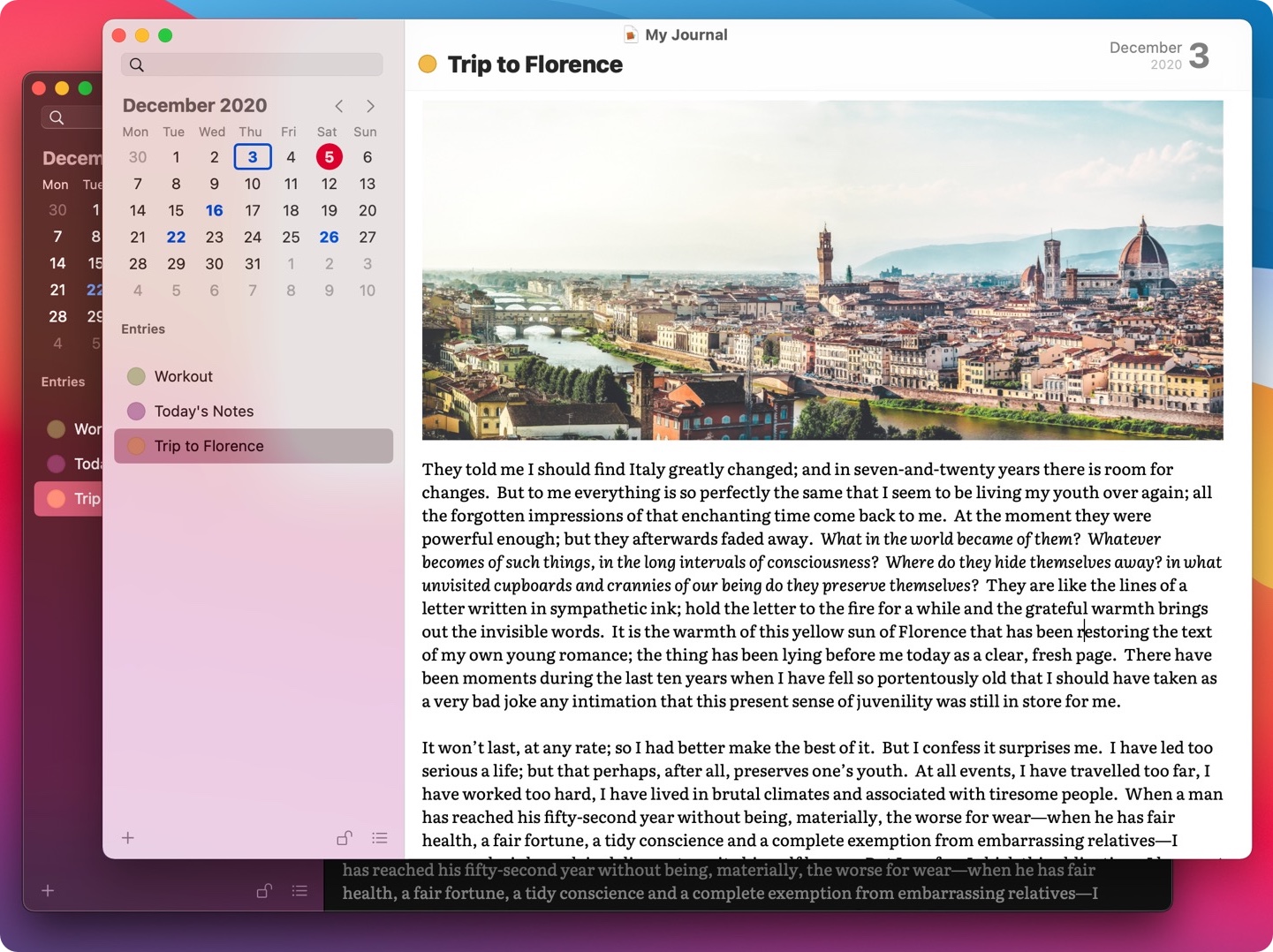
Highlights of this release
Awesome dark mode. It even automatically adapts text and drawings (created
by the improved Quick Drawing feature) to the right color.
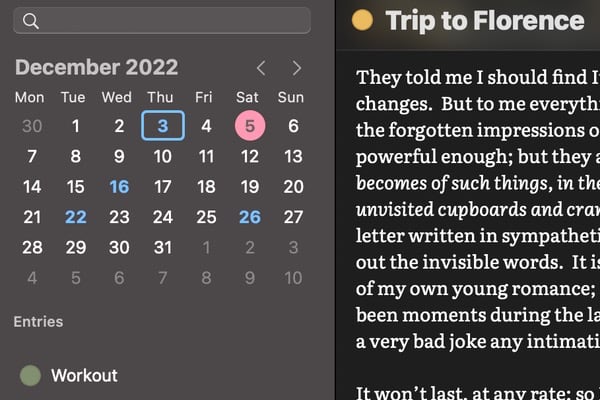
Color labels for your entries. Group what you write with color labels and then
easily browse enteries by label.
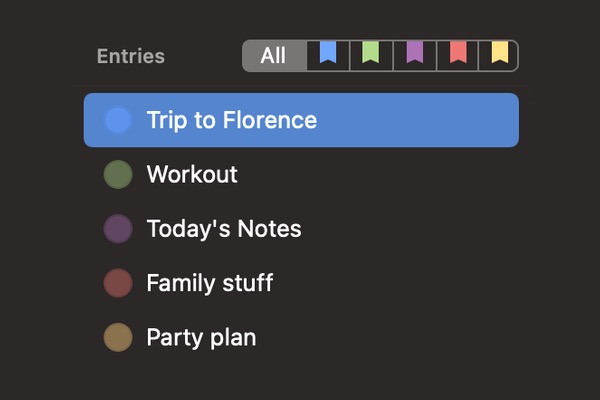
Redesigned Quick Drawing. Now featuring eraser, Touch Bar support, and better colors that work
well both on white and dark background.
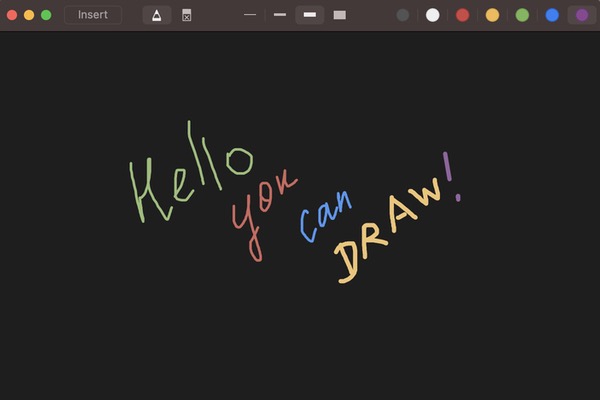
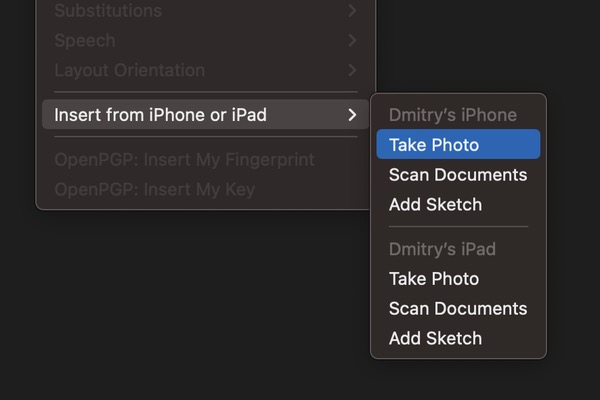
Insert from iPhone or iPad. Use your iPhone or iPad to add photo, draw a sketch or
scan a document right into Mémoires on your Mac.
Improved performance. We rewrote a lot of code and improved performance of switching
between entries and saving journals.
Apple Silicon support. Now a Universal app for both Apple Silicon (M1) chips and
Intel processors, so that it runs as fast as possible, natively.
Improved tabs. Turn on the dedicated tabbed mode in the app preferences and
enjoy multiple journals in a single window.
Full macOS 12 Monterey support. Fresh new icons for the app and journals, redesigned
user interface, and other nits and bits.
Better Touch Bar support. Touch Bar is going away, but we still support it and
improve how Mémoires works with it. Now you can easily create entries and switch between
views using the Touch Bar.
Automatic File Format Conversion. To accomodate for new features, Mémoires 5 has
an enhanced file format for journals. Once your journals are opened in Mémoires 5, they
are automatically converted to the new version, and cannot be opened in older
versions of Mémoires. Please make sure to use the latest version on all computers
if you share your journals between them.
How to upgrade
Mémoires 5 is the major version, and thus requires a new license.
As always, we provide the discounted update pricing for our existing users.
Additionally, for a limited time we provide the upgrade price
for everyone. Unlike many software companies, we are not switching
to the subscription model — you pay for the major version once, receive minior
updates for free, and can keep using it forever without paying.
As old-school and honest as it gets.
You can learn more about this version and how to upgrade by
visiting the What’s New page.
If you’re new to Mémoires, please visit its product page
to learn more about the app, and download a trial version or
buy the full version.
17 Mar 2022
Share
Coding Robots condemns Russian invasion on Ukraine and calls
for peace.
We stand with the people of Ukraine and those in Russia and Belarus who are against the war.

2 Mar 2022
Share
More Posts